Clean messy spreadsheet ranges
Normalize casing, fix abbreviations, trim whitespace, and rewrite inconsistent values in place.
Google Sheets add-on
PromptCell gives spreadsheet teams AI formulas that are built around real work: standardize messy data, pull results from another sheet, classify leads, and draft follow-ups directly where the work already lives.
PromptCell runs from the sheet sidebar and writes results back into the spreadsheet grid.
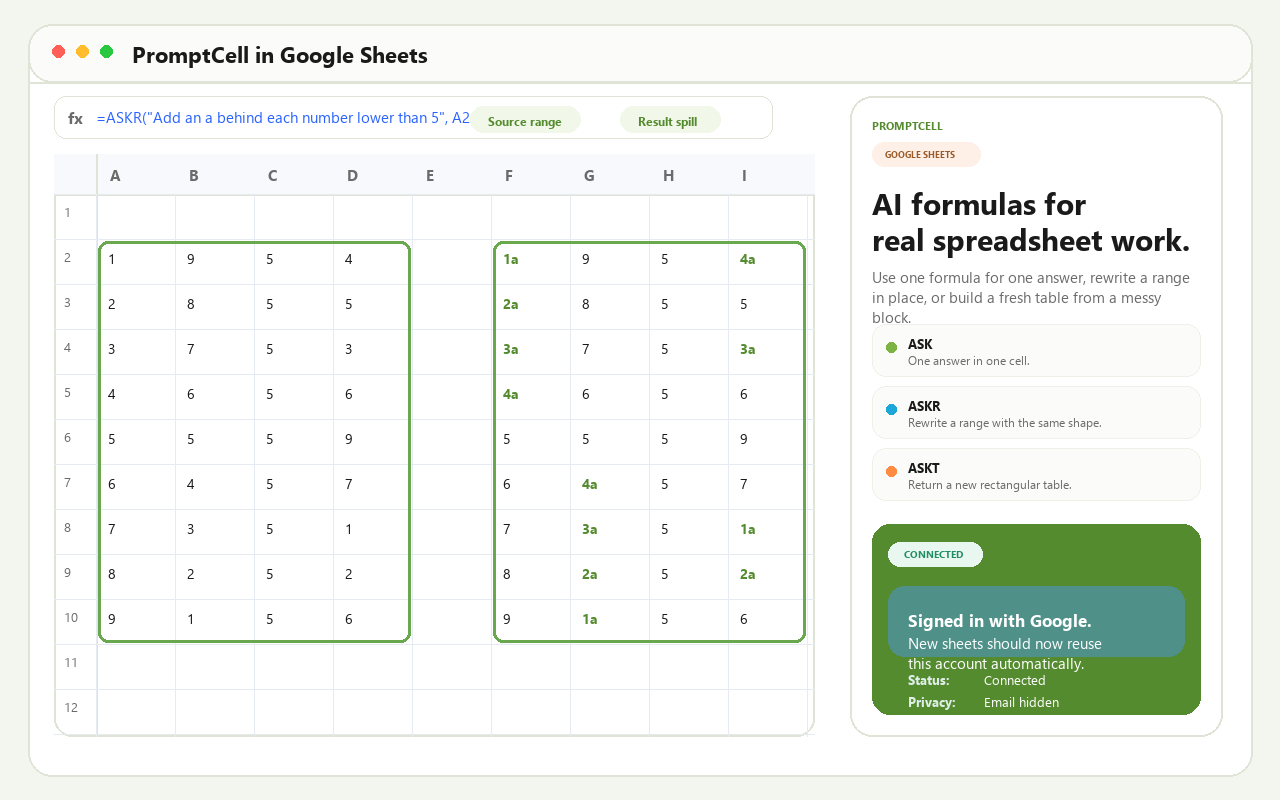
Use a normal spreadsheet formula, select the source cells, and let PromptCell return the cleaned range, lookup result, summary, or generated table directly in Sheets.
PromptCell keeps the public overview short and leaves formula examples to Help.
Normalize casing, fix abbreviations, trim whitespace, and rewrite inconsistent values in place.
Match a key from one sheet against another and return the aligned result.
Turn long rows into short summaries, categories, notes, or next steps.
Extract fields, filter rows, add headers, and return a clean table from messy inputs.
Keep the first-run flow focused.
Install the add-on from Google Workspace Marketplace, then open any spreadsheet where you want AI help.
Use Google sign-in inside the PromptCell sidebar. New sheets can reuse the same saved account automatically.
Start with a simple task like summarizing a row, cleaning a range, or matching a customer tier from another sheet.